Facebook ads for contractors have a mixed reputation. Some roofers and remodelers swear by them; plenty of plumbers have spent money on form fills from people who never picked up the phone. Both experiences make sense once you see what Facebook and Instagram are good at.
Google reaches people who are already searching ("roof leak repair near me"). Facebook reaches people who aren't, while they scroll. That makes contractor Facebook ads a tool for creating demand for planned work, not for catching emergencies.
When Facebook ads work for contractors (and when they don't)
Good fits:
- Roof replacement, especially in neighborhoods with roofs of the same age
- Remodeling (kitchens, baths, basements), where before-and-after photos sell
- Seasonal HVAC offers: fall furnace tune-ups, spring AC checks, maintenance plans
- Recurring services: lawn care plans, pest control plans, house cleaning
- Bigger-ticket upgrades people think about for months: generators, windows, solar-adjacent electrical work
Poor fits:
- Emergencies (burst pipes, no heat, sparking panels). People search Google when something breaks.
- Small one-off repairs where the lead costs more than the job is worth
If your business is mostly emergency work, put the budget into Google Local Services Ads or search ads first.
Step 1: Check the Special Ad Category before you build anything
When you create a campaign in Meta Ads Manager, you must say whether it's about a Special Ad Category. These include ads about housing, employment, and financial products and services (plus social issues, elections and politics).
Many contractor ads belong in Housing. Meta defines Housing ads as ads that promote a housing opportunity or related service, "including but not limited to" home sales and rentals, homeowners insurance, mortgages, housing repairs and home equity or appraisal services. If you advertise roofing, remodeling or home repair work to US audiences, expect to choose Housing. If you advertise financing, that falls under the separate Financial products and services category. Picking the wrong category can get the ad rejected.
For these categories, Meta limits targeting for advertisers in the US and ads shown to US audiences: age, gender, ZIP code, audience exclusions, lookalike audiences, saved audiences and some interests are limited or unavailable. Lead forms for those ads can't ask for age, gender, marital or relationship status, or location details such as street address, city or ZIP code.
Step 2: Choose how you want leads to reach you
Meta offers three kinds of lead ads:
- Call ads: the ad's button calls your business. Best when someone answers the phone during the hours the ad runs.
- Instant forms: people fill in a short form without leaving Facebook or Instagram. You can add custom questions, then download leads from Ads Manager or Meta Business Suite, or connect them to a CRM.
- Messaging ads: the ad opens a conversation with you in Messenger, Instagram or WhatsApp.
You can also send people to a page on your website, which usually means fewer leads but more serious ones.
Instant forms are where most contractor frustration comes from. They're easy to submit, so you get volume, and some of it is people who tapped by accident. Two fixes:
- Add one or two qualifying questions ("What do you need help with?", "When do you want the work done?") so casual tappers drop off.
- Call every lead within minutes. A form lead that waits until tomorrow has usually forgotten they filled it in.
Step 3: Target your service area, not the whole state
Set locations to the towns you actually serve, and keep it realistic: a roofing crew can drive farther than a house cleaner. Leave interests broad at first; the ad itself (a roof, a kitchen, a furnace) does most of the targeting, because the right people stop scrolling for it.
If your campaign is in the Housing category, plan around Meta's limits: you can target countries, states, regions or cities but not ZIP codes, you can't exclude locations, and city, address or pin-drop targeting includes an expanded radius (Meta's example is 15 miles). In practice you'll reach a wider area than you serve, so say clearly in the ad which towns you cover.
Step 4: Make an offer worth stopping for
People on Facebook weren't looking for you, so "Call us for roofing" doesn't stop anyone. Give them a reason:
- Roofing: "Free roof inspection: we'll send you photos of what we find"
- HVAC: "Fall furnace tune-up: one flat price, booked this month"
- Remodeling: "See how we turned this 1980s bathroom around in 9 days"
- Pest control / lawn care: "First treatment for {price} when you start a seasonal plan"
Only advertise prices, discounts and guarantees you'll honor for everyone who responds.
Step 5: Use real photos and short videos
Stock photos of smiling models in hard hats get scrolled past. What works for contractors:
- Before-and-after photos of real jobs, ideally in the same area you're targeting
- A short phone video of the crew finishing a roof or walking through a remodel
- The owner explaining one common problem in 30 seconds
- Screenshots of real reviews, with the customer's permission
Keep text on the image short, and make sure the first line of the ad copy says what you do and where.
Facebook ads for roofers and roofing companies
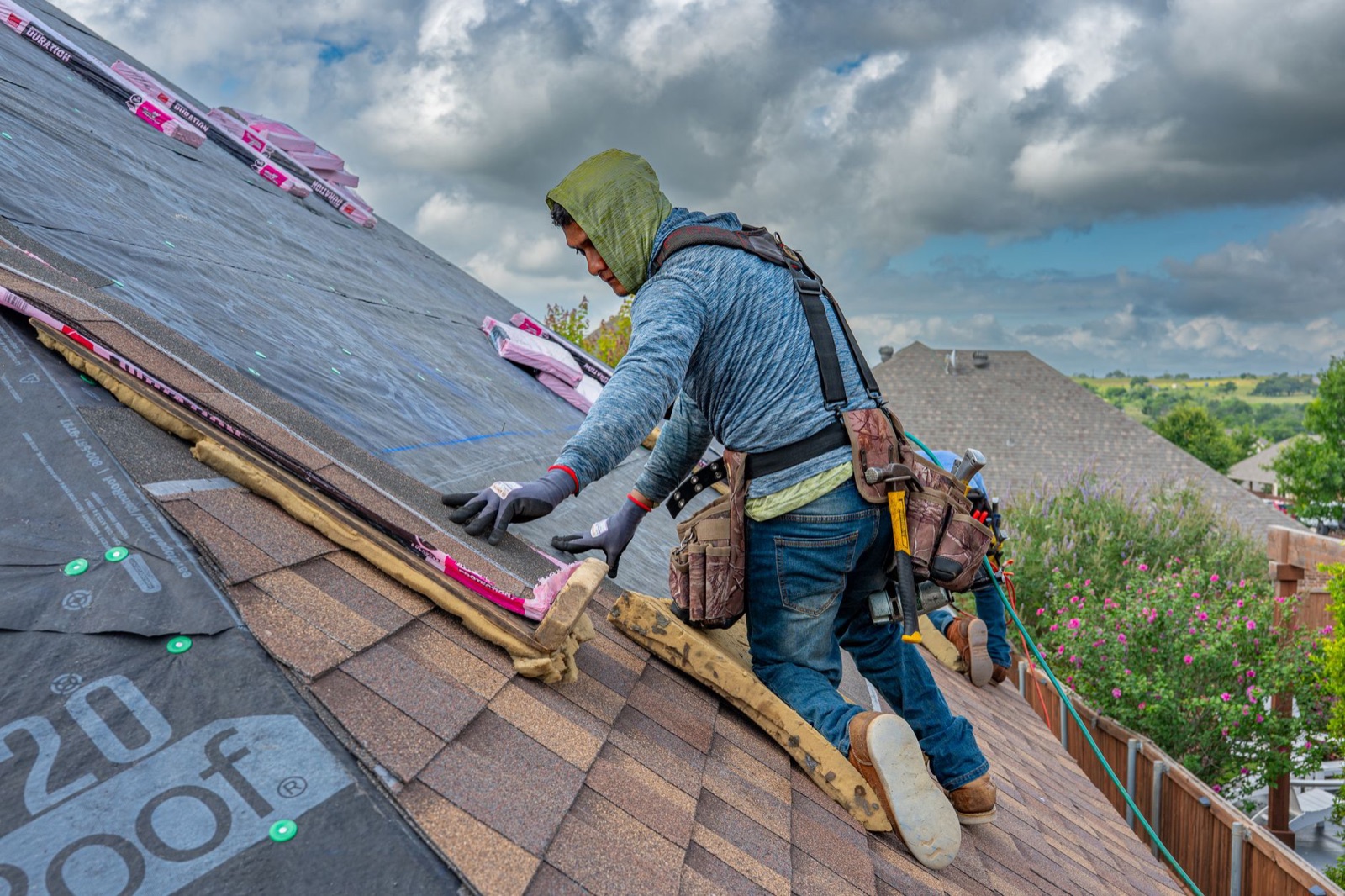
Roofing is the trade where Facebook ads come up most, for good reason: roof replacement is planned, expensive and visual, and neighbors' roofs age together. What tends to work for roofing company Facebook ads:
- Campaigns around areas where you've just finished jobs, with photos of that job and the town named in the ad (Housing targeting won't let you target a single neighborhood)
- Inspection offers that start a conversation rather than a hard sale
- Fast follow-up with a booked inspection time, not just a callback
After storms, be careful. Homeowners are wary of storm chasers, and ads full of urgency ("Act now before your claim expires!") look exactly like them. Lead with your local address, your years in the area and your reviews.
Step 6: Handle and measure the leads
- Respond within minutes, by phone first, then text.
- Put every lead in your field service software or CRM with "Facebook" as the source, so you can see which ones booked.
- Judge on cost per booked job. A campaign with expensive leads that book is better than one with cheap leads that don't.
- Give a campaign a few weeks before changing everything, then cut what doesn't book.
Common Facebook ads mistakes contractors make
- Running ads for emergency services that people only search for on Google
- Targeting a huge area to get cheaper leads you can't serve
- Instant forms with no qualifying questions, and no fast follow-up
- Boosting random posts instead of running a campaign with a clear offer
- Stock photos instead of your own work
- Judging success by likes, clicks or form fills
Facebook ads work best when people who look you up afterwards find good reviews and a clear website. See how to get more Google reviews and our contractor website checklist. Remodelers: see remodeling contractor marketing for the full mix.